
Webinar in the Hidden Security Threats series on the E-Business Suite pages and forms that let users enter SQL or operating system commands or change configuration, and how they can circumvent application controls.
 Play the Recording: Sensitive Administrative Pages in Oracle E-Business Suite: Are You Overlooking This Threat?
Many forms and pages in Oracle E-Business Suite let a user change how the application works by entering SQL statements, WHERE clauses, HTML or operating system commands. Granted inadvertently, they let even non-privileged users run SQL as the APPS database account, manipulate data or commit fraud, and they let privileged users circumvent application controls.
The second webinar in our Hidden Security Threats in Oracle E-Business Suite series, after Hidden Security Threats in Oracle E-Business Suite, explains what sensitive administrative pages are, how they are misused, how to determine who has access to them, and what it takes to mitigate the threat. Auditors and IT security teams can then add these pages to their SOD matrices and change management.
Key Points
- Oracle covers these pages in MOS 1334930.1, Sensitive Administrative Pages in Oracle E-Business Suite, but Oracle's listings are not complete given the application's complexity; forms that allow SQL include Define Value Set, Define Descriptive Flexfield Segments, Audit Statements, PL/SQL tester, Register Oracle IDs and Write Formula, and HTML pages include AME Admin Dashboard and
JTF_FM_ALLQUERY. - In the demonstration, SQL entered in Oracle Alerts, inadvertently granted, runs as the APPS database account and changes the SYSADMIN password, allowing an unauthorized login; such SQL can also run later as a second-order attack, and other pages can run operating system commands as the database owner.
- Access is controlled through menus, functions and grants for forms and HTML pages, system profile options for core features like Examine, and JTF permissions and roles for CRM, such as
JTF_ADMIN_PERM(part ofJTF_SYSTEM_ADMIN_ROLE) for the CRM Declarative Component Framework and theJTF_FM_ADMINrole for the Email Center's Query tab. - Set Personalize Self-service Defn (
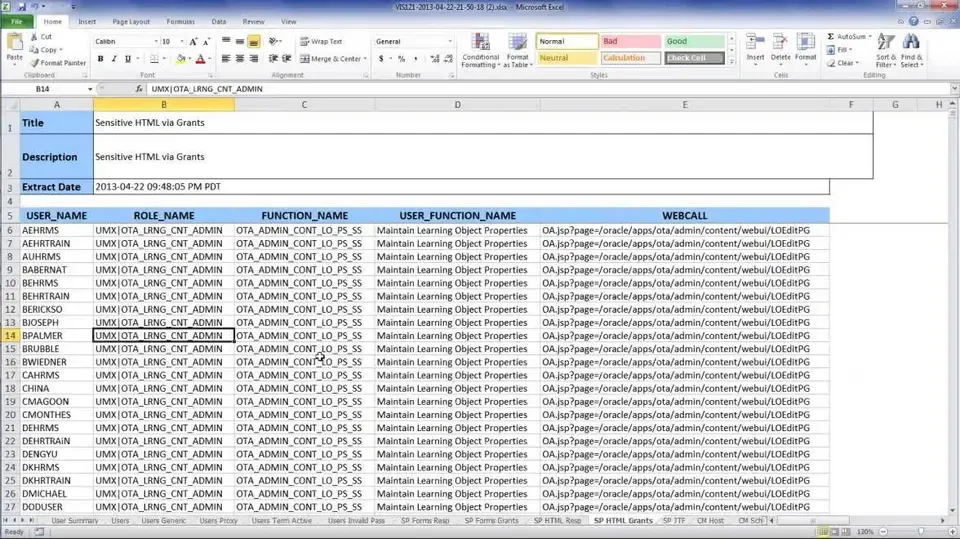
FND_CUSTOM_OA_DEFINTION) to No to block OA Framework personalization, and for Form Personalization and Examine set Hide Diagnostics menu entry (FND_HIDE_DIAGNOSTICS) to Yes and Utilities:Diagnostics (DIAGNOSTICS) to No, reviewing system profile options at the site, application, responsibility and user levels. - Sensitive forms and pages are often not given enough emphasis in SOD matrices, so verify every function is listed, and review user access at the function level, with Oracle's SQL script that lists function access, to find privilege violations.
- Put changes to these forms and to system profile options through change management, have a DBA or peer review every SQL statement for security and performance, since IT security and auditors are generally not qualified to, and audit access, table activity and profile option changes, with database auditing if EBS audit trails aren't enough.