
Product
AppDefend™ for Oracle E-Business Suite
Oracle E-Business Suite application protection, web application firewall, virtual patching, Single Sign-on (SSO), Multi-Factor Authentication (MFA), and generic account protection
Application protection specifically designed for Oracle E-Business Suite
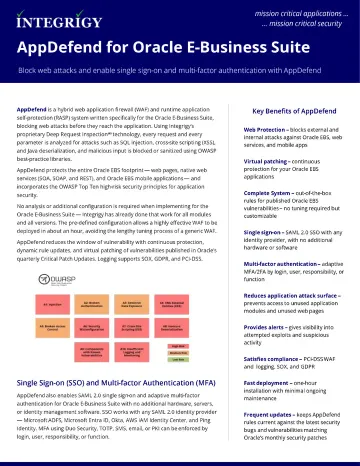
AppDefend™ is an intrusion prevention system, web application firewall, and security platform specifically written for the Oracle E-Business Suite Release R12. The purpose of AppDefend is to block most types of web attacks against Oracle E-Business Suite before they reach the application. AppDefend is a new concept in intrusion prevention – direct application protection. By directly protecting the application, AppDefend protection is more effective than generic web application firewalls. Utilizing Integrigy's proprietary Deep Request Inspection™ technology, every request and every parameter is analyzed for common web attacks, such as SQL injection and cross-site scripting (XSS).
Web Application Firewall and Intrusion Prevention
Prevents Web Attacks
Detects and reacts to SQL Injection, XSS, and known Oracle EBS vulnerabilities
Virtual Patching
Blocks known Oracle EBS web security vulnerabilities
Limits EBS Modules
More flexibility and capabilities than URL firewall to identify EBS modules
User/Location Security
Limit application access based on users, responsibilities, and location
Protects Mobile Applications
Detects and reacts to attacks against Oracle EBS mobile applications
Protects Web Services
Detects and reacts to attacks against native Oracle EBS web services (SOA, SOAP, REST)
Single Sign-on (SSO)
Features
- Direct integration with identity provider (IdP) with no additional hardware or servers required
- Supports any SAML 2.0 IdP, including Entra ID (Azure AD), on-premise AD, Okta, Fortinet
- Advanced user mapping if IdP and Oracle EBS usernames do not match
- Supports Oracle functionality, including WebADI, mobile applications, and third-party add-ons
Key Benefits
- Increase employee and IT productivity eliminating multiple application logins
- Reduce IT costs with fewer support calls for password resets and authentication issues
- Improve security by reducing risk of password theft due to password fatigue
- Enhance compliance with a single point of user termination across applications
Multi-Factor Authentication (MFA)
Supported Factors
- Email (SMTP)
- Time-based one-time password (TOTP) RFC 6238
- SMS (Amazon SNS, Azure ACS)
- Duo Security
- PKI/Smart Cards
Key Benefits
- Prevent fraud and phishing attacks
- Enhance security by enabling strong authentication
- Improve compliance for PCI-DSS, GDPR, and HIPAA
- Contextualize authentication by prompting for MFA when specific data is accessed or actions are performed like employee self-service direct deposit changes
- Enhanced logging and audit trail for all authentications
Features
- Application-aware 2FA may be triggered per login or user or deep in the Oracle EBS for a responsibility, function, or page
- Context-aware 2FA may be triggered based on session context, such as time, location, or device
- Multiple 2FA authentications can be configured for different use cases and controls
- Supports local Oracle EBS authentication or SSO
- No additional hardware or single point of failure
Generic Account Protection
AppDefend MFA can be used to protect Oracle EBS privileged, generic accounts, such as SYSADMIN. Multiple options to protect generic accounts, and a different option may be used for each generic account.
Scenarios for one generic account to many named users, many generic accounts to one named user, and many generic accounts to many named users can all be easily configured and maintained. All logins to generic accounts are monitored and logged and maps named user to account.
Protection Options
- SSO named user
- Oracle EBS local authentication named user
- MFA solution such as Duo Security
- Identity provider direct access
- Maps named user using EBS profile options or groups
Resources
- Security AdvisoryCVE-2022-21500 Analysis and Recommendations
- WebinarIdentifying Security Vulnerabilities in Oracle E-Business Suite Customizations
- WebinarSSO and MFA for Oracle E-Business Suite without the Complexity
- Security AdvisoryLog4j Vulnerabilities Impact On Oracle E-Business Suite Analysis
- WebinarWebLogic Vulnerabilities - Oracle E-Business Suite Impact (CVE-2020-14882 and CVE-2020-14750)
- WebinarImplementing Two-Factor Authentication (2FA/MFA) for Oracle E-Business Suite
- WebinarOracle E-Business Suite and Java Security: What You Need to Know
- WhitepaperOracle E-Business Suite Mobile and Web Services Security
See AppDefend in Action
See how its web application firewall, virtual patching, single sign-on and multi-factor authentication protect Oracle E-Business Suite.
Tell us about your Oracle E-Business Suite and database environment, and an Integrigy security specialist will get back to you.